
To deploy an inference endpoint on Beam, start with one model, a small JSON contract, and initialization that happens outside the request handler. I would prove the request path on CPU before introducing a GPU. This walkthrough builds an English sentiment classifier so you can separate deployment problems from hardware choices.
The service accepts a short text and returns a label, a model score, and handler timing. It uses beam.cloud, the compute platform introduced in the previous article. This is a documented implementation pattern with locally checked handler logic; I have not run this exact service in a live Beam account. The photographs are generated editorial illustrations, not deployment evidence.
Decide what the first endpoint must prove
For this example, I want to establish that a remote environment can load a model, accept authenticated input, execute inference, and return JSON. I am not trying to validate a customer-facing sentiment product.
The chosen DistilBERT checkpoint is an English text classifier fine-tuned on SST-2. Its model card documents bias concerns. I would use ordinary sample sentences here, rather than private messages or decisions about people.
The returned score is the classifier’s score for its selected label. It is not a measured accuracy rate for your application. Sarcasm, mixed sentiment, and text unlike the training material can make a confident-looking response misleading.
Our input limit is 2,000 characters, and tokenization truncates to 512 tokens. Those are different units: a character limit does not guarantee that all text survives tokenization. This service is intentionally for short examples.
CPU first also keeps this experiment focused. The endpoint contract and loader structure do not require a GPU to be useful. If you later add one, both the resource declaration and the model’s device placement need review; adding a GPU to the container while leaving the classifier on CPU would not establish GPU inference.
Prepare the project without copying your whole laptop
Use a Beam account with billing understood, Python 3.11, and a terminal. The shell examples below target Bash on macOS or Linux; on Windows, use WSL and follow Beam’s installation guidance.
Create a project environment and install the Beam client. The model libraries will be installed in the remote image, so you do not need a local GPU or local model download for this workflow.
mkdir minimal-beam-inference
cd minimal-beam-inference
python3.11 -m venv .venv
source .venv/bin/activate
python -m pip install --upgrade beam-client
beam login
beam whoami
Create a .beamignore file before deploying:
.venv/
.git/
.env
.env.*
__pycache__/
*.pem
I would also inspect the project directory for credentials, private data, and unrelated files. An ignore file only excludes the patterns you actually specify; it does not inspect files for secrets.
The installation guide distinguishes installing a CLI from installing the SDK in your Python environment. Here, the project’s client installation provides both. If from beam import ... fails locally, check which interpreter and virtual environment you activated before changing the remote image.
Put the model loader and handler in one file
Save the following as app.py. It deliberately requests CPU resources and leaves out a GPU setting. Two CPU cores, 4 GiB of system memory, and a 30-second warm window are starting configuration choices, not measured optimal settings.
import time
from beam import Image, endpoint

MODEL_ID = "distilbert/distilbert-base-uncased-finetuned-sst-2-english"

image = Image(python_version="python3.11").add_python_packages(
    ["torch", "transformers"]
)


def load_model():
    from transformers import pipeline

    return pipeline(
        "text-classification",
        model=MODEL_ID,
        device=-1,
    )


@endpoint(
    cpu=2,
    memory="4Gi",
    image=image,
    on_start=load_model,
    keep_warm_seconds=30,
)
def predict(context, text=None, **_kwargs):
    if not isinstance(text, str) or not text.strip():
        return {"error": "text must be a non-empty string"}
    if len(text) > 2000:
        return {"error": "text must contain at most 2000 characters"}

    started = time.perf_counter()
    classifier = context.on_start_value
    result = classifier(text, truncation=True, max_length=512)[0]

    return {
        "label": result["label"],
        "score": float(result["score"]),
        "inference_ms": round((time.perf_counter() - started) * 1000, 2),
        "model": MODEL_ID,
    }
Beam’s loader documentation describes the on_start hook and accessing its returned object through context.on_start_value. That keeps model construction outside each request. Initialization still happens for new workers; this is not a global singleton shared by every container.
The Transformers import stays inside the loader because that package belongs to the remote environment. The local deployment process still needs to import beam and parse the application file.
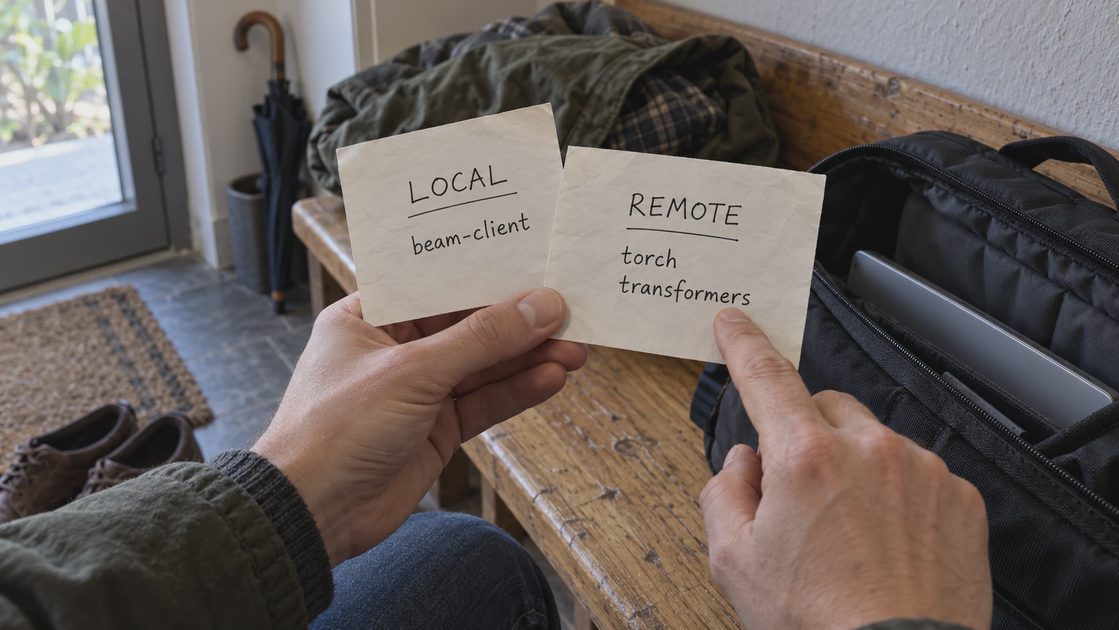
I have left model-library versions and the model revision unpinned to keep the initial example readable. That is a reproducibility limitation. After a successful remote build, capture the actual installed versions and resolved model commit, then pin and retest them before treating the image as a release candidate. A local pip freeze will not describe packages installed only in the remote image.
The handler’s invalid-input branch returns an error object; it does not explicitly set HTTP 400. A caller must inspect that object rather than equate every HTTP success status with a prediction.
For an application integration, I would define separate client behavior for input errors and service failures. Invalid input should prompt correction. A failed authorization check should prompt a credential check. A connection timeout needs investigation before another attempt, because the server may already have accepted the work. Automatic retries can otherwise create duplicate requests and additional cost.
Deploy, then send one authenticated request
From the directory containing app.py, deploy the function:
beam deploy app.py:predictCopy the endpoint URL from the deployment output. Do not substitute a guessed application URL. Save it in a shell variable, then read an API token without putting its literal value into shell history:
export BEAM_ENDPOINT_URL='PASTE_DEPLOYMENT_URL'
read -r -s -p 'Beam API token: ' BEAM_API_TOKEN
export BEAM_API_TOKEN
Create request.json:
{"text": "The setup was straightforward and the result was useful."}Send it with the authorization header:
curl --silent --show-error \
  --request POST "$BEAM_ENDPOINT_URL" \
  --header "Authorization: Bearer $BEAM_API_TOKEN" \
  --header 'Content-Type: application/json' \
  --data-binary @request.json \
  --write-out '\nHTTP %{http_code}; total %{time_total}s\n'
Inspect the actual result for label, score, inference_ms, and model. I have not supplied a fabricated successful response or confidence number. An authorization failure, a model-download problem, and an inference error belong to different stages even if all three prevent a prediction.
The first request may wait while resources initialize and model files become available. Keep the terminal open long enough to observe what happened, and use the deployment’s logs to distinguish a slow initialization from a failed one.
Check the contract before celebrating the label
I would repeat the same request, then change only the input. These checks help establish the behavior we actually promised:
Check | What to inspect |
|---|---|
Ordinary short sentence | Prediction fields exist and the model identifier matches. |
Empty or whitespace-only text | The JSON body contains an input error. |
Numeric text field | The handler rejects the type instead of running inference. |
More than 2,000 characters | The handler returns the size-limit error. |
Immediate repeat | Compare client elapsed time while recording whether a worker was already ready. |
The local handler check used a stub classifier to verify validation and response construction. It did not download the model, build the image, test authentication, or demonstrate live inference.

inference_ms covers the timed classifier call and nearby handler work. It excludes container initialization, network transit, and time before the handler starts. Curl’s total time covers the client’s request experience. Neither number alone tells you how long model loading took.
An immediate repeat is also not guaranteed to reach the same worker. I would use task or container details when investigating timing differences, rather than label every later request “warm” by assumption.
Find failures at the stage where they occur
If the deployment module will not import, inspect the local environment first. If the image build fails, inspect package installation and Python compatibility. If initialization fails, inspect model availability and loader output. Only after those succeed would I investigate prediction behavior.
A valid label still leaves a separate model-quality question. I would keep a small set of representative examples, including phrases that the intended application finds difficult, and record the expected interpretation before inspecting predictions. Agreement on one cheerful sentence is a deployment smoke check. It does not validate accuracy across a product’s inputs or settle how ambiguous sentiment should be handled.
Beam’s logs guide provides filters for deployment, task, and container identifiers. I would retain the identifier associated with a failure and avoid logging submitted text merely to make troubleshooting convenient.
Keep the first fix small. Increasing memory cannot repair an invalid token, and changing the model cannot repair a malformed request. A larger architecture would give you more places to search before establishing this basic path.
Finish the experiment and record its limits
The 30-second warm setting keeps an idle container available briefly after activity; it does not impose a total spending limit. Beam’s warm-container guidance says warm time is billable. Check current plan and resource charges before leaving deployments active.
When finished, stop any preview session and use the dashboard to stop deployment versions you no longer need. Unsetting the local token variable does not stop remote compute.
I would record whether the first run downloaded model files and whether later workers reused cached assets. Download time and active warm time can change the economics of an occasional endpoint. Until those conditions are visible in your own usage, extrapolating one fast repeat into a monthly estimate would give the calculation more precision than the evidence supports.
Before adding a GPU, save one valid response alongside its deployment version, runtime package versions, and client elapsed time. That is the first baseline worth keeping: a request path whose behavior you can inspect and reproduce.


No letters yet — be the first to write.